

Core Concepts
vScope Billing allows you to assign prices to IT assets and automatically calculate costs or revenue based on your asset inventory.
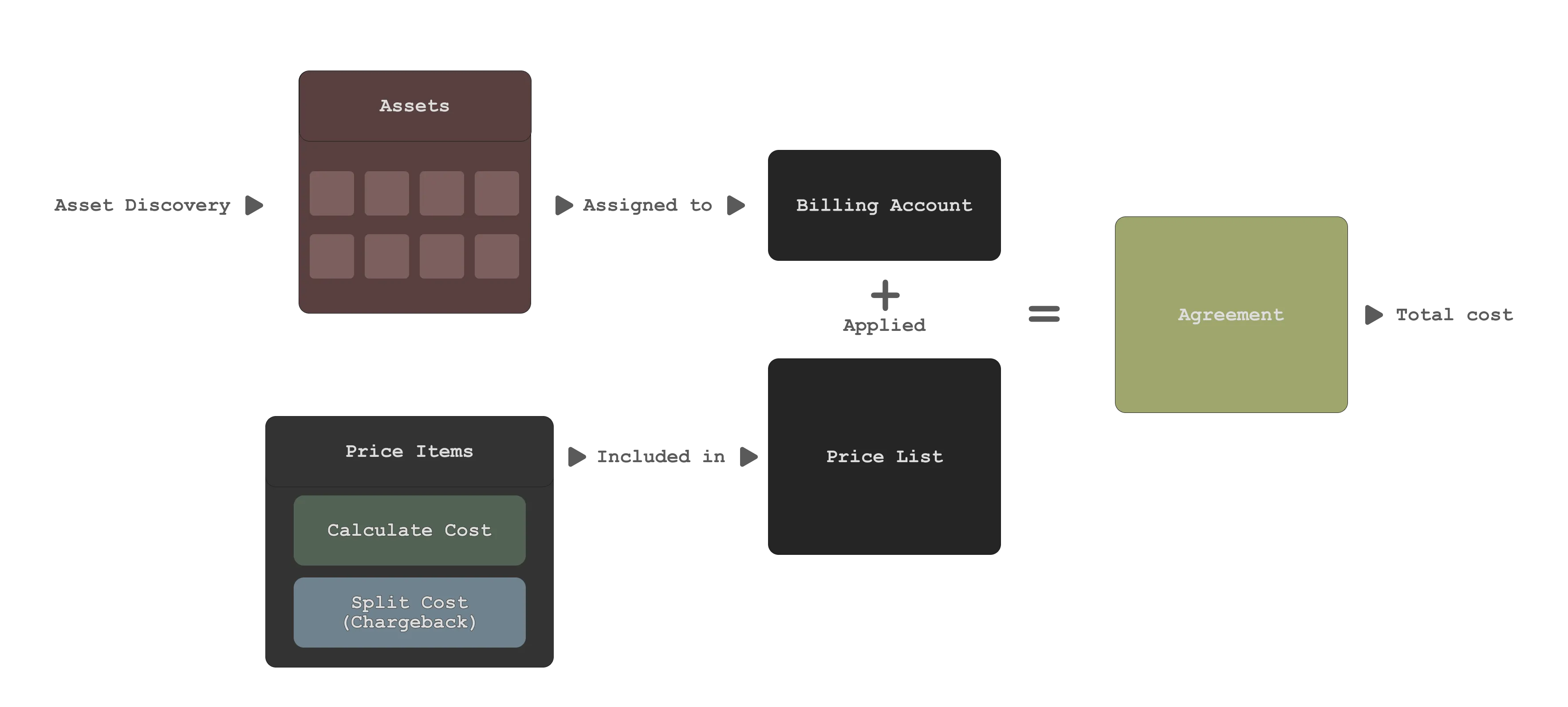
By linking assets to billing accounts and applying pricing rules, Billing gives a repeatable way to see what assets cost, how they are used, and how pricing changes over time. This page is a conceptual overview; see linked guides for setup.
What you can do with vScope Billing
Section titled “What you can do with vScope Billing”- Assign prices to assets (machines, users, licenses, configurations).
- Group assets into billing accounts (customers, departments, cost centers).
- Generate recurring billing reports using current and historical data.
- Track pricing changes over time with versioned price lists and asset history.
Prerequisites & scope
Section titled “Prerequisites & scope”- An active vScope Billing subscription.
- Administrator permissions to configure billing accounts and pricing.
Core concepts
Section titled “Core concepts”vScope Billing is built around a small number of core concepts. Understanding these will make setup and configuration significantly easier.
Billing Account
Section titled “Billing Account”A Billing Account is the billable owner of assets (customer, department, internal service). Assets can belong to one or several Billing accounts.
Price Lists
Section titled “Price Lists”A Price List is the pricing ruleset; it holds versioned Price Items and can differ by customer, currency, or model.
Agreements
Section titled “Agreements”An Agreement binds a Billing Account to a Price List; pricing is calculated in this context. An account can have multiple agreements (tiers, parallel models).
Price Items
Section titled “Price Items”A Price Item defines how a cost is calculated or split. Two main use cases:
1. Fixed unit price (calculate total cost)
Section titled “1. Fixed unit price (calculate total cost)”Calculate a total cost from assets or tag values. These price items answer the question: What is the total cost?
Examples include:
- Price per CPU core.
- Price per Windows Server.
- Price per user account.
2. To Split Total Cost
Section titled “2. To Split Total Cost”Splits a given total cost across multiple Billing Accounts (consumers) rather than calculating a new total cost.
Typical examples include:
- Shared infrastructure costs (e.g., backup systems, network equipment)
- Platform or service subscriptions used by multiple customers or departments
- Centralized licenses or tools
These price items answer the question: How is this cost split across Billing Accounts?