

Grant db_datareader for SCCM site database
Objective: Grant a SQL login db_datareader (read-only) on the SCCM/MECM site database (CM_<site>) for the vScope SQL connector.
-
Create or choose the login
- SQL or Windows auth; example:
sccmreader. Ensure the login is enabled/active.
- SQL or Windows auth; example:
-
Server Roles
- Set to
public(no extra server roles required).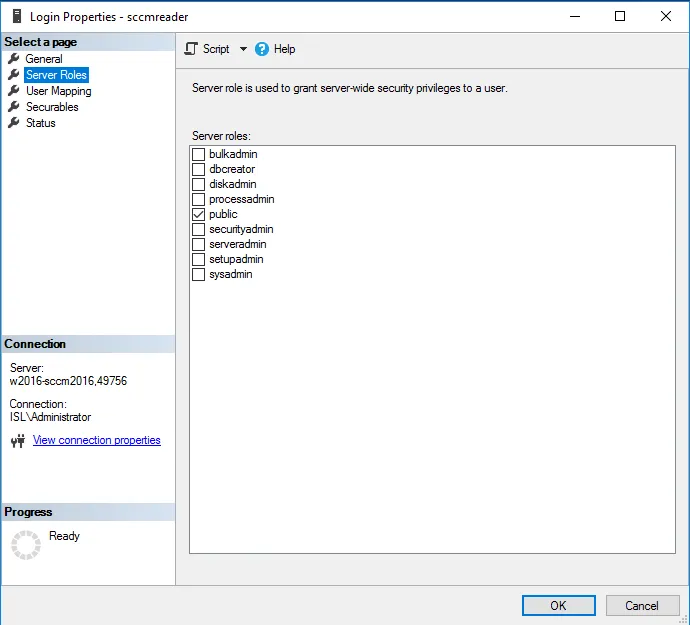
- Set to
-
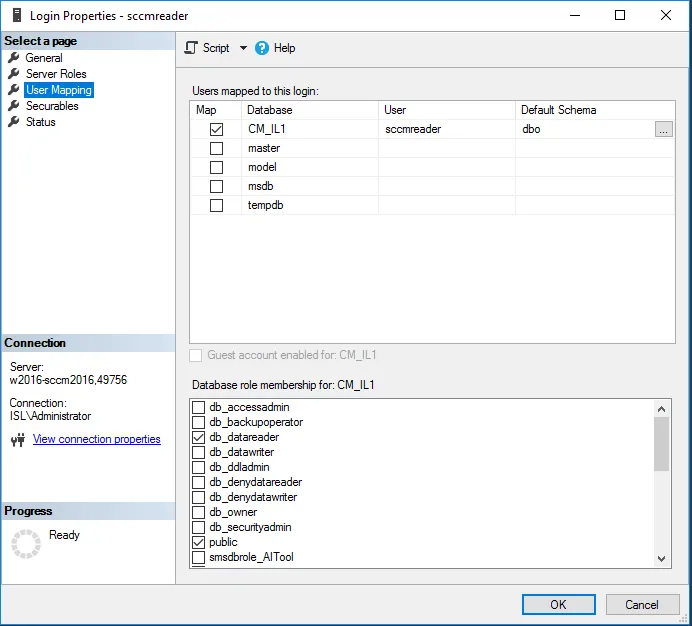
User mapping
- Check the SCCM site DB (e.g.,
CM_ABC). - Database role membership: check db_datareader.
- Check the SCCM site DB (e.g.,
-
Default database (optional)
- Set default DB to the site DB (e.g.,
CM_ABC) for clarity.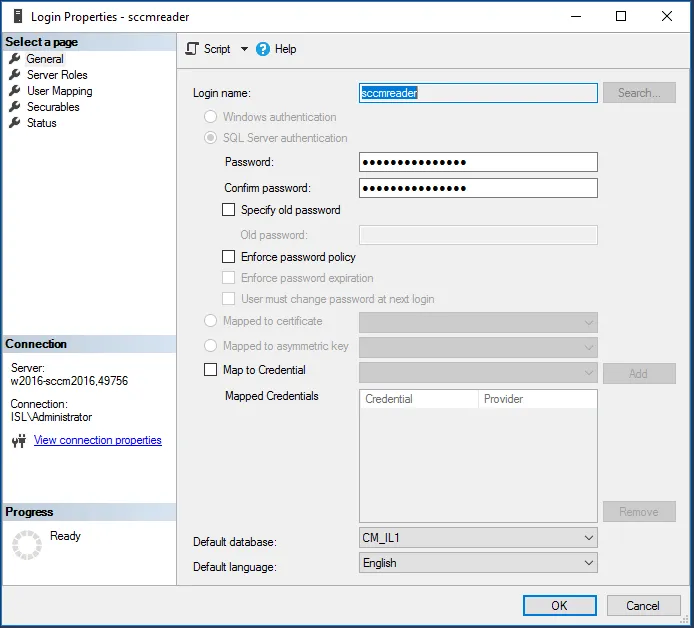
- Set default DB to the site DB (e.g.,
-
Status
- Ensure the login is allowed to connect and is active.
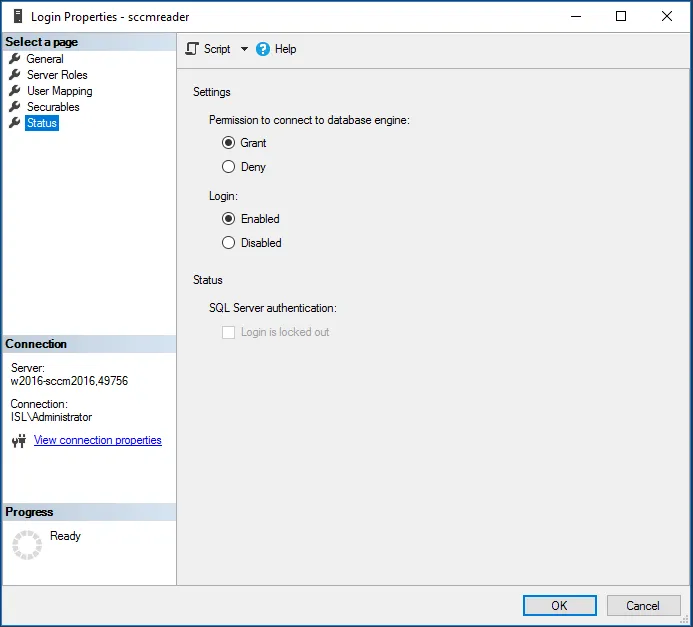
- Ensure the login is allowed to connect and is active.
Verify access
Section titled “Verify access”- Run a simple query as that login:
Expected: returns at least one row. If empty or error, re-check DB name, role, or instance/port.SELECT TOP 1 * FROM dbo.Sites;
- No server-level roles beyond
publicare needed. - If using a named instance or dynamic ports, ensure the login can connect via the same target you configure in vScope.
Common issues
Section titled “Common issues”- Wrong database (must be the site DB, e.g.,
CM_<site>). - Login disabled or password expired.
- Connecting to the wrong instance/port (especially with named instances).
Related
Section titled “Related”- SCCM probe setup: System Center Configuration Manager