

About Templates
Purpose: Templates define how every entity is documented in Governance.
Why templates matter
Section titled “Why templates matter”- Consistent, high-quality information on every entity.
- Easier audits and governance reviews.
- Collaborative for multiple users.
- Update documentation standards once; all entity pages inherit.
What a template contains
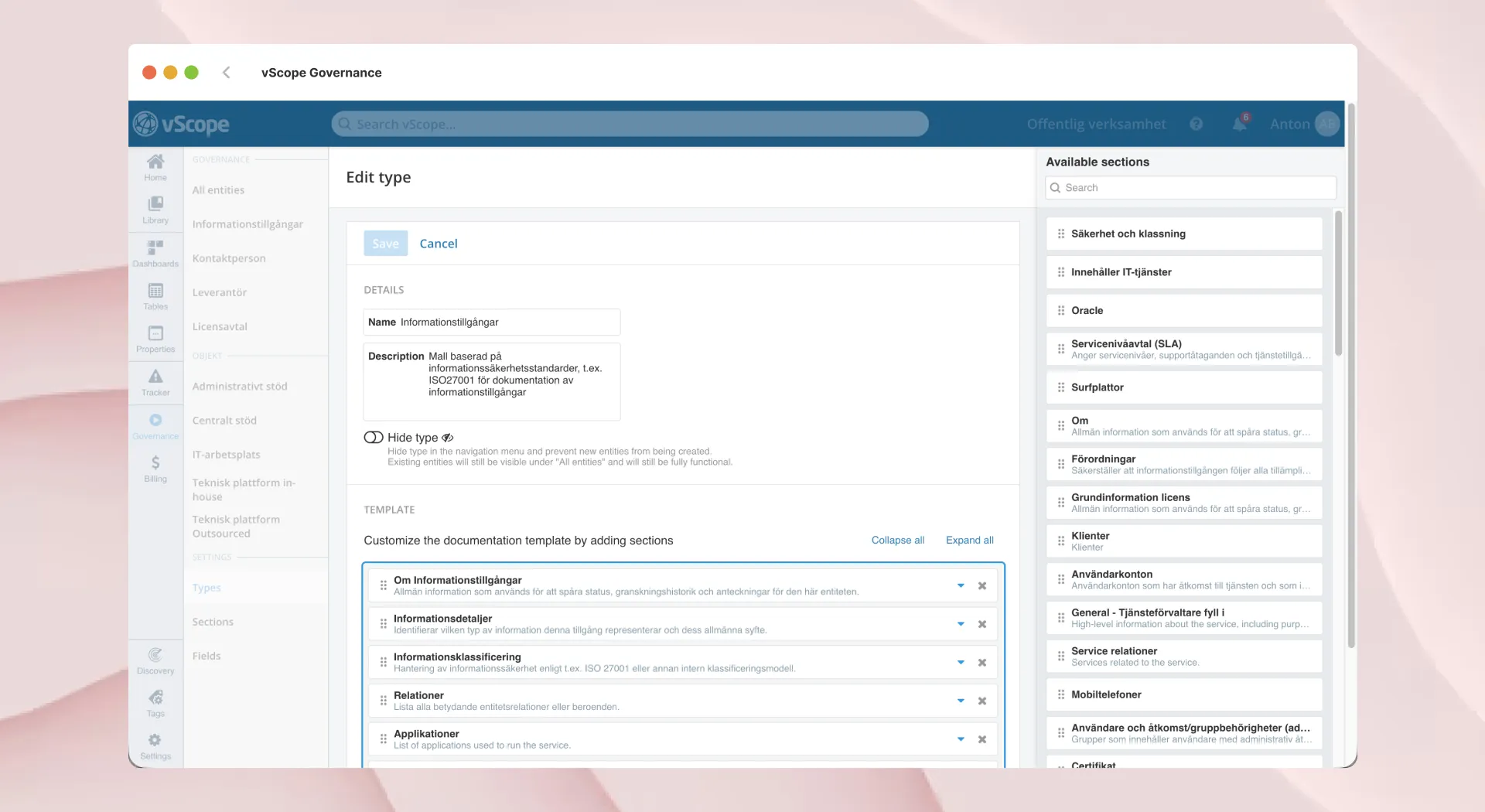
Section titled “What a template contains”- Sections: Reusable groups of fields or relations (e.g., General Info, Ownership, Dependencies) to organize content.
- Tables: Sections may contain tables that list related assets or linked entities (servers, vendors, certificates, backups).
- Fields: Sections may also contain fields, structured inputs like Owner, Criticality, Security Level, Description.
Editing and managing templates
Section titled “Editing and managing templates”- Only admins and contributors can create or modify templates.
- Changes apply to all entity pages using that template; data stays but hidden fields become invisible until re-added.
- Editors/collaborators can edit the content inside fields/tables according to their access permissions.
Bundled templates
Section titled “Bundled templates”- vScope includes bundled templates for each bundled entity type (IT Service, Information Asset, Vendor…); customize them freely.
- You can revert a template to its default state at any time. Any vScope updates to bundled templates won’t overwrite your customized versions.
Quick flow for creating a template
Section titled “Quick flow for creating a template”- In Governance > Settings > Types, create or confirm the entity type (e.g., “Contact Person”).
- Under Templates create needed fields, or reuse existing ones (e.g., “Phone Number”).
- Build sections with fields, tables, or relations to match your standard.
- Add those sections to the template.
- Save and verify on a sample entity page.
- Roll out and adjust as standards evolve.